Last evening the Peninsula Tech Club Leadership team shared our ideas for what you might buy for all those on your holiday lists. The categories included: what we have and love, what we want, gifts less than $25, gifts in the $50-$200 range, gifts for grandkids, and gifts if money were no object. This was our second annual gift guide event – and it is fast becoming a fun tradition! Take a look and let us know your reactions!
Author: pentechclub
Security at the Peninsula
Read this for perspective on what your exterior home security needs.
Verizon Internet & Cable at the Peninsula
Please read the attached article to maximize your Verizon experience with internet and cable service.
Quarantine Games!!
Hey Peninsula Residents, looks like we’re heading to the end of our hibernation (hopefully) but there’s still just a little longer to go and many of you might just be at the end of your list of on-line activities and perhaps bored with the ones you have been doing. Well The Peninsula Tech Club is here to help breathe a little more fun into the last days of hibernation with a definitive list of on-line games, puzzles and activities you might want to try out. The list is broken into categories making it easier to go through it to find something of interest to you. Our goal is to help you find something to make you smile and promote domestic tranquillity (which may or may not have suffered during our closeness).
How to Hibernate and Not Lose Your Mind
On Tuesday, April 28 Peninsula homeowners came together via ZOOM to learn about how to use technology to not just survive but thrive during the pandemic. Our speaker, Barry Stiefel, covered a wide range of topics – including how to make sure you have well functioning internet and wifi service, virtual social networking, entertainment & education, and even virtual fitness and personal grooming. We are attaching a copy of the presentation here for your reference. Think about attending future Tech Club gatherings to continue to get helpful information throughout the year.
How to Hibernate and Not Lose Your Mind Tech Club presentation


A Smart Home … EVERYONE can have one!
On Monday, November 11, Barry Stiefel and Mike Palmer led an illuminating and entertaining review of what is meant by a “smart home”. They offered a simple, understandable framework and offered “very doable” solutions that everyone can try to bring technology into the home, in ways to enhance how we live. Attached is a copy of the presentation.
Update on new IOS13 features for Apple iphones and iPads
IPhones 1 … everything you wanted to know but were afraid to ask.
Yesterday more than 40 club members learned all about how to use their iPhone more effectively and creatively. The good, the bad, and the ugly questions got asked and answered. Thank you to our fearless teachers … Barry Stiefel, Diep Lavu, and Mike Yacubovich.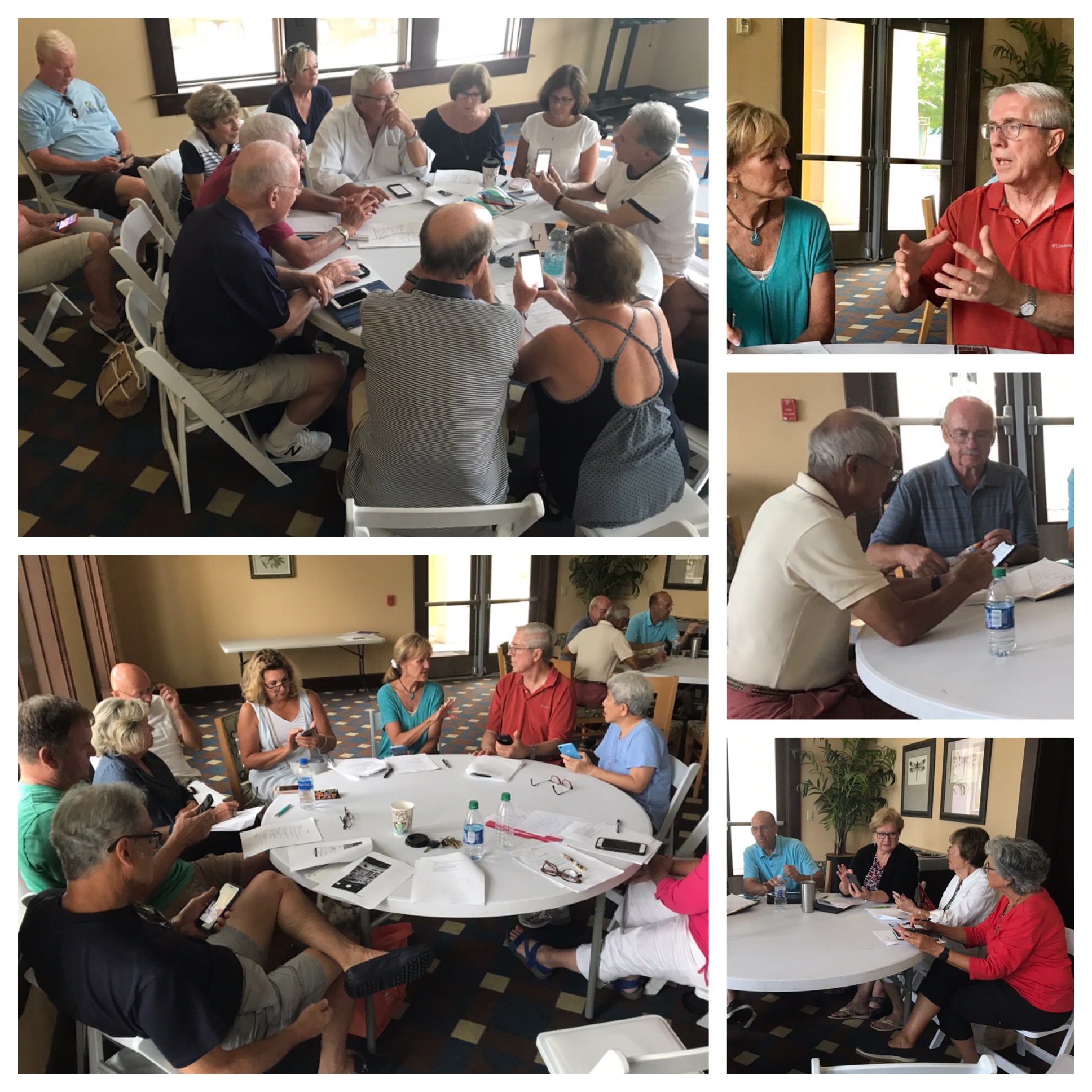
iPhone 1 Basics Handout from the meeting: PTC Iphone 1 Basics Handout
iPhones — everything you need to know!
Ok all of you Peninsula Tech Club members who own iphones and have been looking for small group classes to increase your “Apple Knowledge” The Club Steering Committee heard your requests and are happy to announce that we are planning two iPhone class sessions:
iPhone 1 Classes on Monday August 5th at 4PM and iPhone 2 Classes on August 12th at 4PM both classes will be held at the Lakeside room.
The iPhone 1 class is for those of you who are looking for Basic iPhone instruction; you know how to make and answer calls. send texts or emails and perhaps work with some other apps on the phone, but not a whole lot more.
You want to better understand what iCloud storage is and how its different from the iPhone memory storage. How do i backup my iPhone and why do I need to do it. How to use updates. How do i find my phone if i lose it or its stolen (YES you can do that) You want more help with Bluetooth, wifi cellular settings, how to set up your iPhone password or face or finger ID. What is airplane mode and how do I access it. How to organize the apps on your screen. What is the Personal Hotspot and how would i use that. What are all those settings for in the Settings app, what do they do and how do use them…..AND MUCH MORE!
The iPhone 2 Class is for those of you that have a pretty good basic grasp of the features mentioned above but want to expand their understanding of the many and really cool features the iPhone has.
You want to learn how it works seamlessly with your iPad, Mac, Apple watch. What is Airdrop, and Airplay and how do i use them. How to take screen shots and use them. How to better use the Photo app and its amazing yet simple editing tools. What is Car Play and how do i sue it in my auto. What is Handoff and how do I use that with my other Apple Devices. How do i make and receive calls on my iPad and Mac. How do i use the many Health related app on my Phone and those that are available. How do i make Face-Time Calls not to just one person but to a whole group. How can I get out of an annoying Text group Chat that I’m really not interested in…..AND MUCH MORE!
These classes are going to be small group sessions of no more than 15 people at each group table with its own tutor so it will allow for more questions and easier to understand explanations. We understandably have to limit the number of people that will be able to attend and make sure we get an accurate count of those attending.
FOR THAT REASON BOTH CLASSES WILL BE ON A SIGN UP BASIS ONLY! ANYONE WANTING TO ATTEND EITHER CLASS SESSION ON THE 5TH OR 12TH MUST REGISTER BY SENDING BARRY STIEFEL AN EMAIL WITH THE CLASS SESSION YOU WANT TO ATTEND AND WHO WILL BE ATTENDING.
The sign up process is a must as we will have to turn away Members who show up with out having registered if we don’t have space at any of the tables. Sign Up-Registration must be done by August 1st. If for whatever reason you can’t send an email stop by the office and give your name to Eileen.
Last but not least we need voluteers that feel they have a good iPhone knowledge base and would be interested in being a tutor. The more tutors we have the more group tables we can have and the more people we can accommodate. You don’t need to be an expert just have a pretty decent grasp on the iPhone as we will have learning materials to follow.
Online Security 101
Take a moment to read this article on security. It’s a quick read with super practical advice. https://www.zdnet.com/a…/simple-security-step-by-step-guide/
 Peninsula Tech Committee